Effective dispute tracking is essential to ensure disputes are resolved as quickly as possible and to limit their impact on collections. Clearnox allows you to easily view disputed clients and invoices and track their progress through to resolution.
The « Monitor > Disputes » page centralizes all client and invoice disputes to provide an overview of their progress, simplify follow-up activities, and quickly identify cases requiring action.
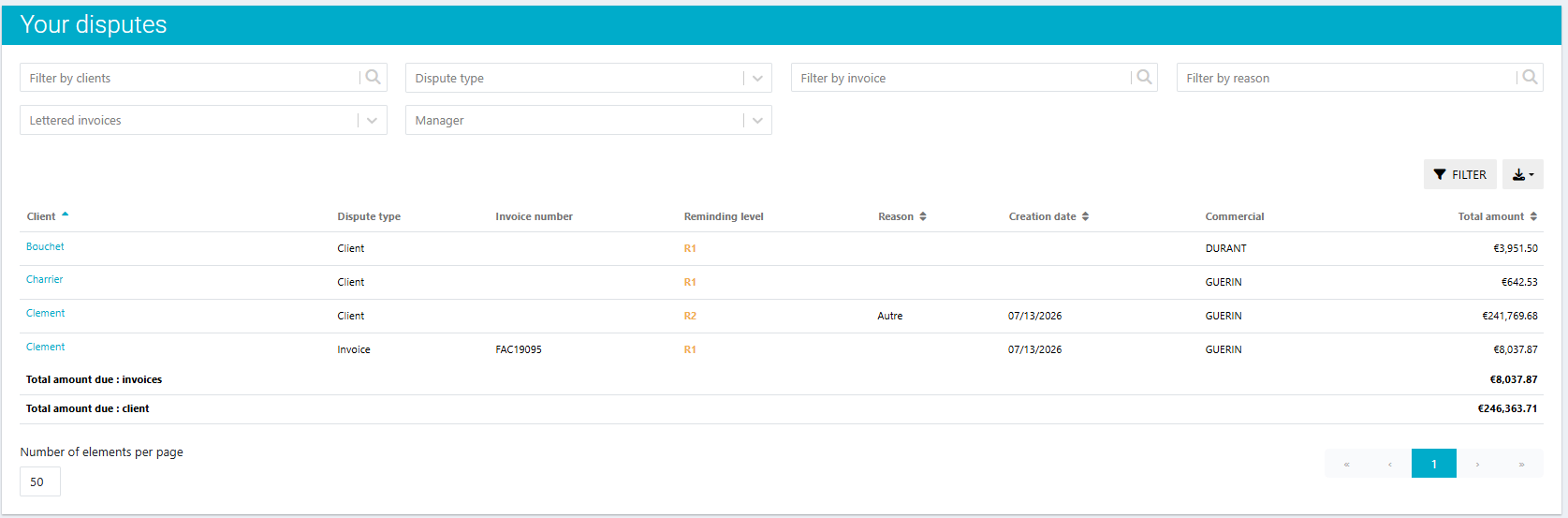
Prioritize the processing of your disputes
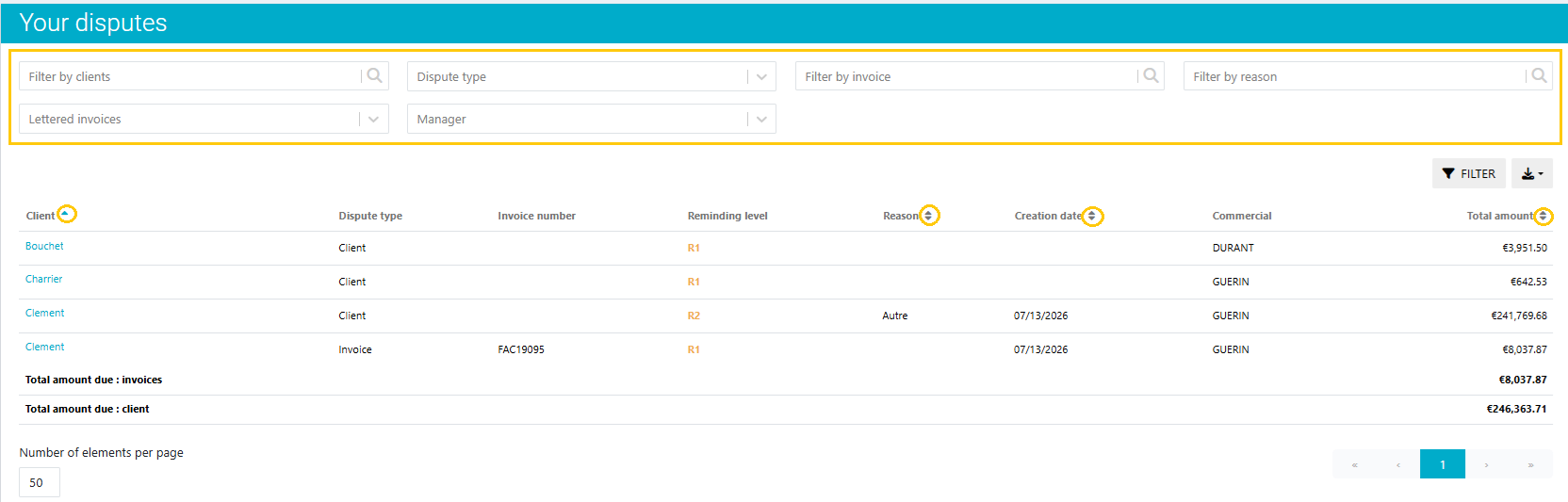
Thanks to the various available filters, you can quickly find the disputes that require your attention. Filter by client, dispute type, manager, invoice, or dispute reason to focus your analysis on the most relevant situations.
Columns can also be sorted using different criteria to help identify priority, analyze disputes by reason, or group disputes related to the same client.
Find your disputes throughout Clearnox
Disputes are visible across the different tracking screens in Clearnox to make them easier to identify and ensure they are taken into account throughout the collection process.
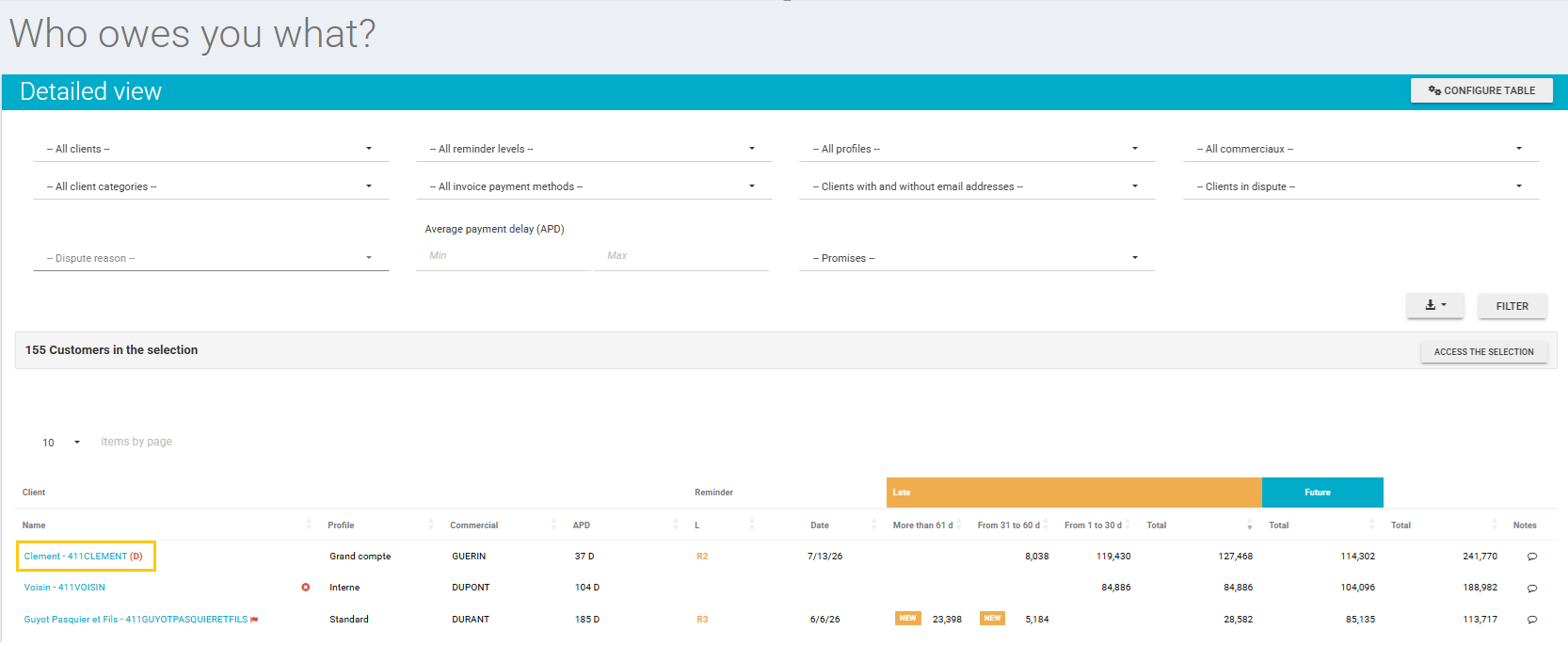
On the « Monitor > Who Owes You What? » page, disputed clients are easily identified thanks to the visual « D » indicator. Dedicated filters also allow you to quickly find relevant cases or analyze them by dispute reason.
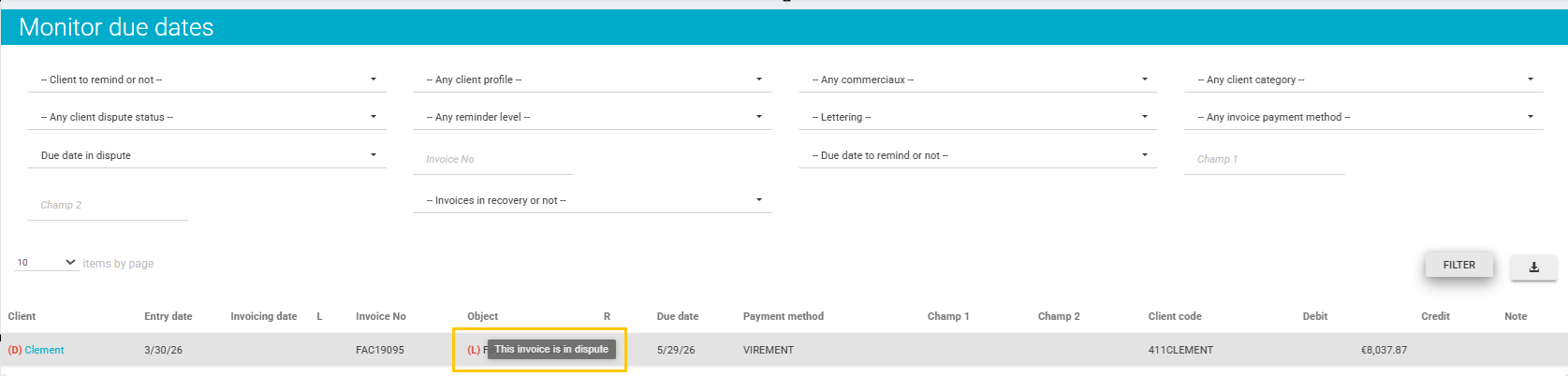
Similarly, on the « Monitor > Due Dates » page, disputed invoices are identified by the visual « L » indicator and can be quickly found using the dedicated dispute filter.
Was this article helpful?
That’s Great!
Thank you for your feedback
Sorry! We couldn't be helpful
Thank you for your feedback
Feedback sent
We appreciate your effort and will try to fix the article