Phone reminders play an essential role in maintaining a high‑quality relationship with your clients by enabling direct and constructive exchanges.
Clearnox allows you to centralize, track and closely monitor all phone reminders, ensuring full visibility and effective oversight of the actions carried out.
Record a phone reminder
If you want to remind a specific client by phone, go to his client file. After selecting the invoices to be followed up and choosing Phone as the chosen media, you can save the details of your call, including its status and a comment.
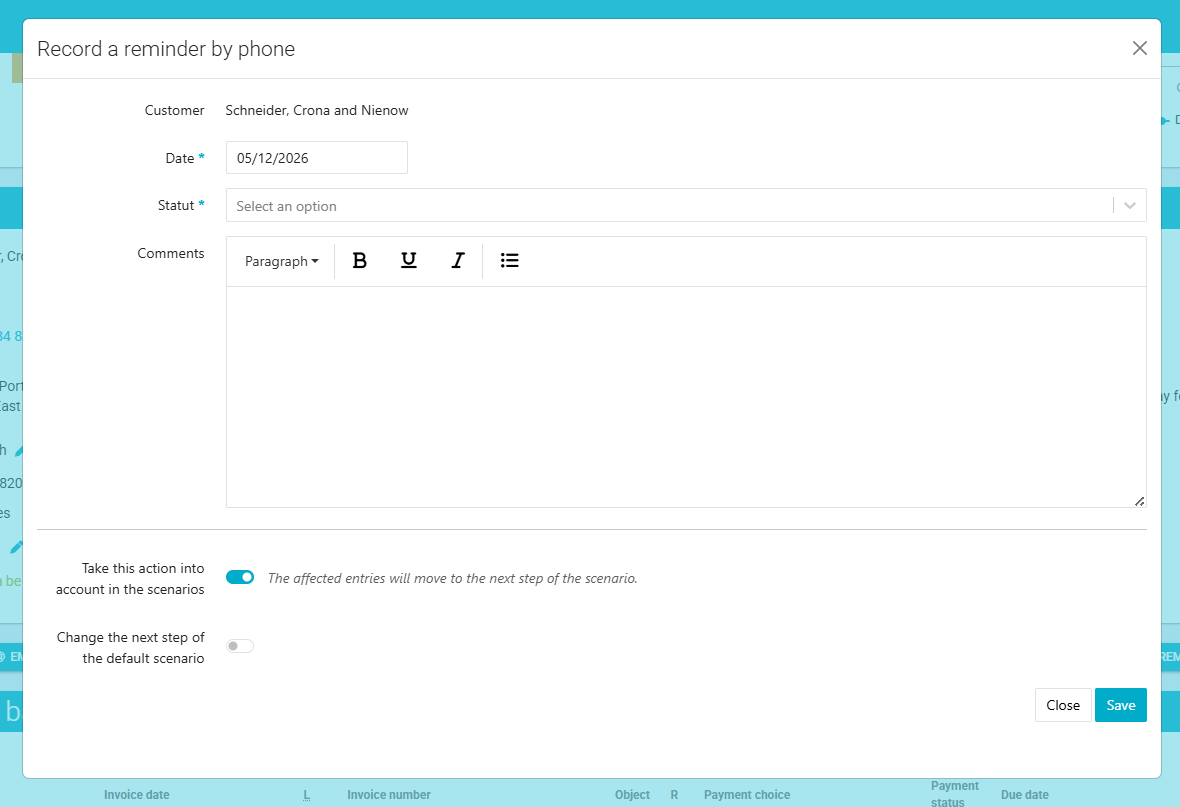
You can then choose whether the reminder action should be taken into account in the reminder scenarios, meaning it moves the invoices into the next reminder level or whether it should remain an isolated action with no impact on the scenario.
If the client commits to paying from a specific date, you can also record a promise to pay.Effectively manage phone reminders
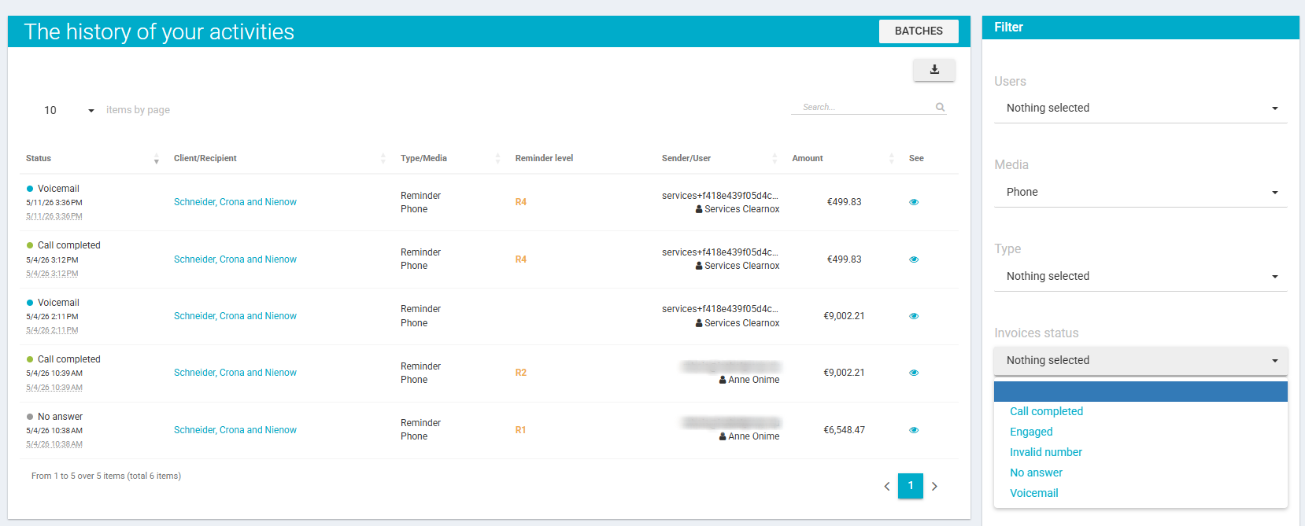
The statuses recorded during phone reminders turn each contact attempt into actionable information, helping you better understand the client's situation, prioritize next actions, and improve the effectiveness of follow‑ups.
These statuses are used in the Monitor > Activities page to provide a structured view and precise control of reminder actions, with filtering options that make analysis easier. For example:
- a collection officer can quickly identify unsuccessful calls to attempt another contact;
- a manager or administrator can monitor reminder activities carried out by the teams.
Was this article helpful?
That’s Great!
Thank you for your feedback
Sorry! We couldn't be helpful
Thank you for your feedback
Feedback sent
We appreciate your effort and will try to fix the article